The monitor to build a sub-thousand-dollar setup around: the widest useful data set at this money, and a basic app that is free — so the sticker price is close to the whole price and the rest of the budget can go on the net and the mat.
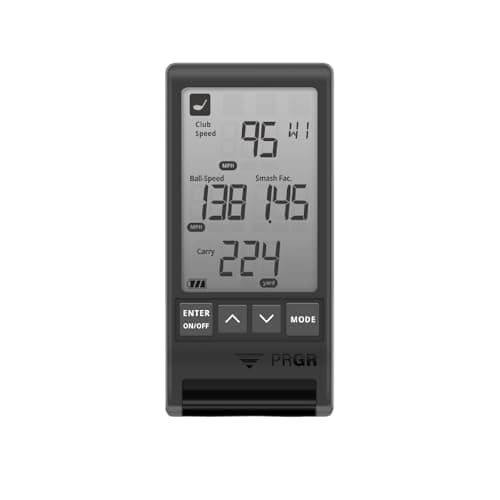
Budget pickPRGR HS 130-A — the cheapest monitor here that still reads a shot honestly, and the one that leaves the most money for the net and the surface $194.99 on Amazon
The verdict: build it around the Garmin Approach R10, a GoSports 10 ft x 7 ft practice net and the Dura-Pro Premium Residential mat. That is a working home simulator — a number on every shot, somewhere safe to hit it, and a surface that will not wreck your wrists — and at our price layer’s last refresh, stamped November 18, 2026, those three parts together came in comfortably under a thousand dollars. Cheapest honest build: the PRGR HS 130-A with the same net and a CHAMPKEY single-surface mat, which is roughly a third of the money and still gives you real speed numbers on every swing.
The reason this page is shaped the way it is: “golf simulator under a thousand dollars” is a search for a total, and almost everything written about it answers with one device. A launch monitor on its own is not a simulator — you cannot hit into it in your garage. What you are actually buying is three things, and the budget has to stretch across all three. So the unit here is the build, not the box: four of them, each assembled from parts we already rank individually, with a live price next to every part so you can add them up yourself before you commit.
The three parts, and which one deserves the money
A home setup is a monitor (reads the shot), a net (catches it) and a mat(what you hit off). Those are not equal claims on the budget. The monitor is the part that decides whether you are practicing or guessing, and it is the part where cheap genuinely means less: fewer metrics, less accuracy, no course play. The net is close to a solved problem — a net either stops a golf ball or it does not, and the real differences are size, setup time and whether the ball comes back to you. The mat is the part everyone under-budgets and then regrets, because a thin mat on a concrete floor sends every fat shot straight up your lead wrist.
That gives a clear spending rule at this ceiling: put the money in the monitor, buy the net on size and ball return, and do not buy the cheapest possible mat if you have a hard floor. Every build below follows it. If you want the pieces ranked on their own merits with no budget ceiling at all, that is our best home golf simulatorspage — and note that its top three do not fit inside this budget together, which is the honest reason this page picks differently.
Build one: the all-rounder
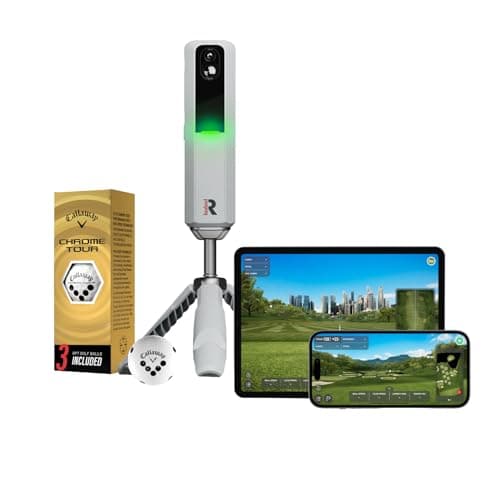
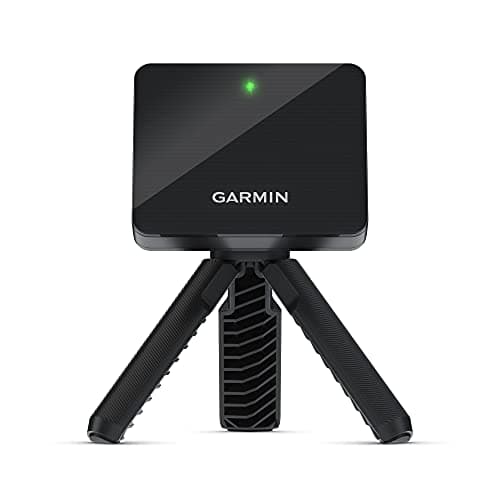
Garmin Approach R10 + GoSports 10 ft x 7 ft net + Dura-Pro Premium Residential mat. This is the build most people should make. The R10 is a portable radar that gives you the set of numbers an improving golfer actually acts on — club and ball speed, launch, carry, shot shape — and crucially its basic app is free, so you are not signing up to a fee the week after you unbox it. Garmin’s Home Tee Hero course play sits on a paid tier, which is worth knowing before you budget rather than after.
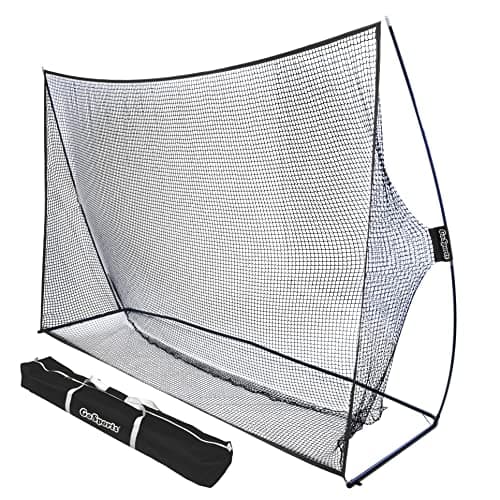
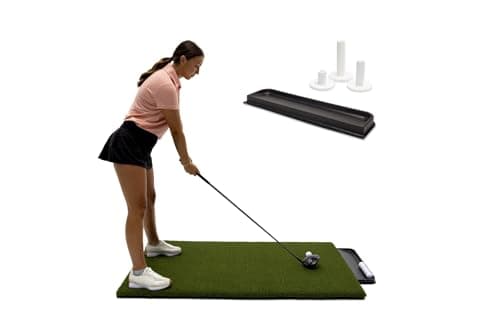
The GoSports net is the right net at this ceiling because of its shape: ten feet wide by seven high is enough target that a sliced driver still finds net, which matters far more in a garage than any spec on the box. GoSports publishes a ball-return feature, four optional ground stakes, a carry case and a six-month warranty; it publishes no frame material and no rated ball speed, and we are not going to pretend otherwise. The Dura-Pro is the grown-up choice in this build — four feet by five, with nylon 3D turf fibers the maker describes as 30% denser than ordinary residential practice mats — which is what makes it survivable to hit off repeatedly. Note the one wrinkle in its own paperwork: the Amazon listing states 19 mm thickness while a separate seller page for the same mat describes a 5/8 in build, and no warranty term is published anywhere.
Build two: the ball-return build
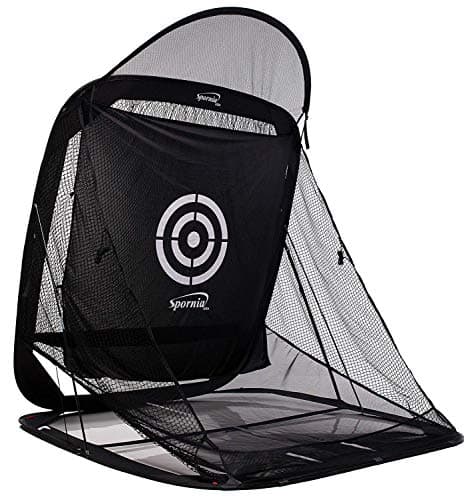
Garmin Approach R10 + Spornia SPG-7 + CHAMPKEY Premium mat. Same monitor, different priority: this build spends the net budget on Spornia’s patented automatic ball-return ramp and takes the saving back out of the mat. If you are hitting fifty balls in a session, the difference between a net that returns the ball and a net that does not is the difference between practicing and fetching — and it is one of the main reasons home setups go unused after a month. Spornia also publishes a roughly 30-second tool-free setup and takedown, which is the feature that decides it if your garage is also where the car lives.
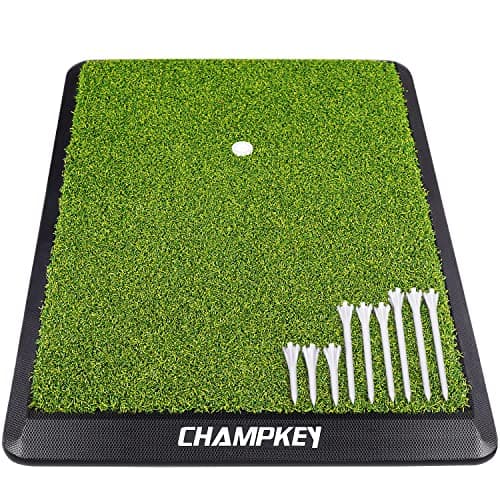
The trade is the surface. The CHAMPKEY Premium is one honest single-density turf top on a heavy rubber base, and CHAMPKEY publishes no pile height, total thickness or warranty term for it. On a timber floor or over a rug that is fine. On bare concrete, with a steep angle of attack, it is less mat than your joints want — and if that is your floor, build one is the better allocation of the same money. We rank the surfaces properly in best golf hitting mats and the cheap end specifically in hitting mats under $100.
Build three: the measured-spin build
Rapsodo MLM2PRO + GoSports net + Dura-Pro mat. The MLM2PRO is here for one reason: its camera measuresspin rather than computing it from the rest of the shot, and it records shot video. If what you want from a home setup is to understand why your wedges do not stop, that is the pick inside this budget. Two honest caveats, both of which cost money. The first is the membership: Rapsodo’s fuller feature set sits behind a subscription, so the cost of this build is not the cost of owning it. The second is timing — Rapsodo announced the MLM2PRO’s replacement, the MLM2XPRO, on October 9, 2026, with orders opening on October 15 and simulation putting added. The MLM2PRO stays supported in the apps and is now the cheaper of the two, so buy it on the discount; if that discount has closed, the newer unit is the better buy and it will not fit under this ceiling.
Build four: the cheapest honest build
PRGR HS 130-A + GoSports net + CHAMPKEY Premium mat. This is roughly a third of the all-rounder, and it is less a compromise than a different product. The PRGR is a doppler radar that shows ball speed, club speed, smash factor and carry/total distance on its own LCD, with no app and no subscription at all. There is no course play, no shot video, no phone dependency and nothing to log in to. For speed training and for grooving a repeatable strike it is genuinely enough, and the money you do not spend on the monitor buys a better net than most people at this budget end up with.
Who should not buy it: anyone whose actual goal is playing virtual rounds through the winter. The PRGR cannot do that and never claimed to, and buying it anyway is how people end up owning two monitors. If courses are the point, build one or build three is your page, or read Garmin R10 alternatives to sort the same field by the limit you are trying to escape.
What a thousand dollars does not buy
Worth being specific, because the gap between this budget and the next one is real. Under this ceiling you do not get a projector and impact screen— that is a four-figure line of its own before you have bought a monitor. You do not get photometric accuracy from a few feet of ball flight indoors: the sub-thousand radars want space in front of them, and that is a room constraint rather than a brand problem. You do not get a commercial-grade mat big enough to stand on with both feet. And you do not get freedom from subscriptions unless you deliberately pick a unit that has none.
What you do get is the thing that actually changes your golf: a number on every swing, in your own garage, in February. That is why the honest ranking at this ceiling starts with the monitor and works outward.
Skip this: the projector-and-screen dream, for now
If your budget is a thousand dollars, do not spend it in a way that leaves you with half a projector setup. The failure pattern is consistent: someone buys an entry monitor and a cheap screen, discovers the image is unusable in a lit garage and the mat is punishing, and the whole thing is folded up by spring. Buy the three parts properly, hit into a net, and add the screen as a second project once the habit has proved itself. Our cost-of-ownership breakdown shows how the numbers stack up once the subscription is in them, and are launch monitors worth it is our honest answer to whether any of this will improve your scores.
The arithmetic that decides this budget: the fee, not the box
Every build above has a one-off cost you can read in the table and a running cost you cannot. That running cost is what separates these four over three years, and it reverses the order you would guess from the sticker prices. The PRGR build has no software cost at all, ever. The R10 builds have a free basic app with course play on a paid tier, so the running cost is optional and you choose it knowingly. The MLM2PRO build puts much of what buyers came for behind a membership, which means its three-year total is the highest here even though its box is not the most expensive.
That is not an argument against the Rapsodo — measured spin is worth paying for if spin is your problem. It is an argument for deciding which build you are buying before you look at prices: a speed-training station, a data-and-courses station, or a spin-diagnosis station. Those are three different purchases that happen to cost similar money up front and very different money by year three. The full line-item math, including the laptop and the space, is in our home setup cost breakdown, and launch monitors with no subscription is the page for anyone who wants that fee to be zero by design.
Measure your space before you choose the monitor
The one constraint that overrules every ranking on this page is how much room you have behind and in front of the ball. Radar units read the ball after it leaves the face, so they want some flight to look at; put one in a space where the ball is in the net a few feet after impact and it has less to work with. Camera-based units sit beside the ball and care less about flight length but more about lighting and placement. Before you spend anything, measure your ceiling height with a club held at the top of your backswing, and measure the distance from the ball to where the net will stand. If either number is tight, read photometric vs radar launch monitors first, because it changes which of these builds is even available to you.
Why we do not print the total in the text
A page built on a price ceiling is the worst possible place to type a number into a sentence. Every figure you see here comes from the live Amazon listing through our price layer at the moment the page is served, behind a 48-hour freshness gate, stamped with the date above. The four builds were assembled against those real numbers at the last refresh and each one totaled under the ceiling — but the only total that is true today is the one you get by adding the live prices in the table. Do that before you buy; if a part has drifted, the table will tell you long before our prose could.