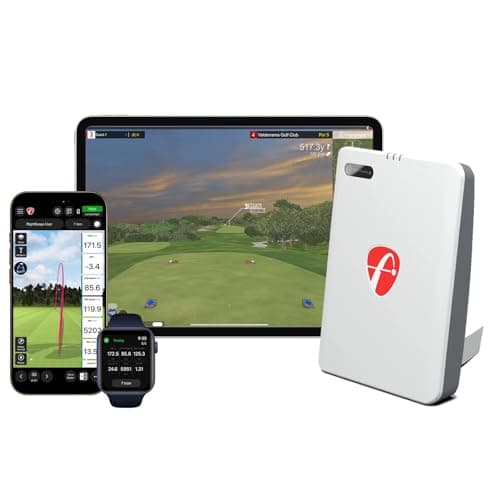
The FlightScope Mevo is the pocket radar with a serious pedigree. FlightScope builds the professional launch monitors used by coaches and tour players, and the Mevo brings that radar lineage down to a portable, battery-powered box you can carry to the range. It reads a listed 18 data parameters, ships with a handful of E6 simulator courses, and reads your shot with doppler radar — with one small catch you need to know about before you buy: it wants a metallic sticker on the ball for full data.
Who it’s for
It’s for the practicer who values the FlightScope name and wants a genuinely deep data set for honest range work — ball and club speed, smash, launch, carry and more — in a grab-and-go radar. If you want to run a full practice session on the numbers a coach would look at, and you don’t mind the sticker routine, it’s a lot of monitor for the money. It also dabbles in home simulation with its included E6 courses. It is notthe pick for someone who wants measured spin and shot video — that’s a camera unit’s job — or the absolute cheapest, friction-free speed check, which is the PRGR’s territory.
The pro-lineage radar advantage
The reason to choose the Mevo over a generic budget radar is the pedigree and the data depth. The same company’s technology sits inside launch monitors costing many times as much, and the Mevo’s listed 18 parameters are more than enough to diagnose a swing and track progress properly. For a player who wants trustworthy range numbers from a name that knows radar, that lineage is worth something — and it’s the same strength that lets it hold its own in our Rapsodo vs Mevo comparison and the R10 vs Mevo comparison.
The honest limits
Two things to accept. First, the ball sticker: the Mevo needs a small metallic dot on the ball for its full data, which is a mild hassle and a consumable you replace over time — less friction-free than a radar you just point down the line. Second, it’s a radar, so like the Garmin R10 it estimatesspin rather than measuring it optically, and there’s no shot video; if measured spin and replay matter to you, a camera unit like the Rapsodo is the better fit. The wider simulator experience also nudges you toward paid E6 content beyond the included courses. None of that makes it a bad tool — it makes it a serious pocket radar with a couple of quirks. We base this on FlightScope’s published specifications and how doppler radar captures a shot; we don’t run a testing lab.
The verdict
If you want a deep, trustworthy data set from a genuine launch-monitor name and you’ll live with a ball sticker, the Mevo is a superb range companion and a lot of radar for the money. If you want measured spin and video, look at a camera unit; if you want the cheapest possible speed check, buy the PRGR. Match it to how you actually practice, and it earns its place. Price the full picture — and any E6 add-ons — against the field in our cost-of-ownership breakdown.
Living with the ball sticker
The Mevo’s one real quirk is the metallic dot it wants on the ball for full data, so it’s worth being honest about what that means day to day. The stickers are cheap but they’re a consumable — you peel one on, it lasts a number of shots, and you top up the supply over time. For a dedicated range session that’s a minor ritual; for a quick grab-and-go check it’s more faff than a pocket speed monitor that needs nothing. If a sticker-free workflow is what you want, a PRGR (speed only) or a Garmin R10(full data, no sticker) avoids it — the trade is the R10’s app and the PRGR’s narrower data.
How it fits a home setup
The Mevo can anchor a modest home setup: it’s the brain that reads the shot, and its included E6 courses let you dabble in simulation out of the box. But remember a home setup is never one purchase — you still need a net to catch the ball and a mat to hit off, and more E6 content is a paid add-on beyond the bundled courses. If home course play is the real goal, price the whole station rather than just the monitor; our home simulator roundup walks through the pieces and where the money is best spent first.