Skip to content
Divot&Draw

The Numbers · Launch Monitors

FlightScope Mevo vs Voice Caddie SC4 Pro

A pocket radar from a serious launch-monitor name, with 18 data points and a ball sticker, against a self-contained radar with its own screen and no subscription. The split is data depth versus no-fuss simplicity.

By Stephen V.Updated How we rank
#ad

We earn a commission when you buy through our Amazon links, at no extra cost to you. It never changes our rankings — and we'll tell you when the cheaper ball or club is the better buy. How this works.

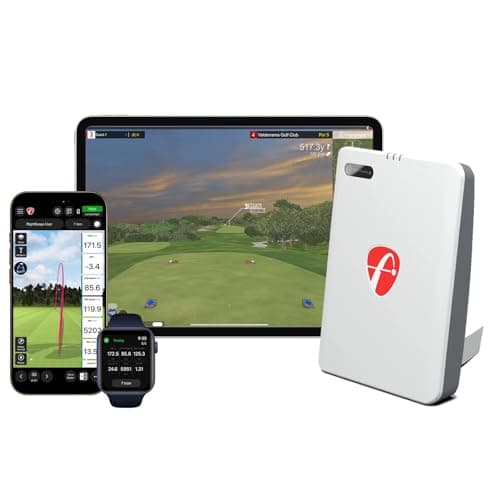
Both of these are doppler radars, both are portable, and both aim at the same golfer — the range-practice improver who wants honest numbers without a five-figure system. But they come at that goal from different directions. The FlightScope Mevo is a pocket radar from a company whose technology underpins far pricier professional units; its listing quotes 18 data parameters and it ships with a handful of E6 simulator courses, though it needs a small metallic sticker on the ball for full data. The Voice Caddie SC4 Pro is a standalone radar with its own built-in display and a bundled simulator, designed to read your numbers with no phone and no subscription. One leans on data depth and a professional lineage; the other leans on self-contained, no-fuss simplicity. Check the live prices above first, then read on for where each pulls ahead.

Two radars, two philosophies

Because both are radar, they share the same core strengths and the same core honesty: they are portable and happy outdoors, they read ball speed, club speed, launch and carry reliably enough to practice against, and — like every radar — they model some figures, spin especially, rather than measuring them directly. So this is not a measured-versus-estimated argument the way a camera comparison would be; both estimate spin, and neither gives you a video replay. The real split is in data depth and workflow. The Mevo puts a longer parameter list in front of you and comes from a pedigree of serious launch monitors, but asks you to stick a dot on the ball. The SC4 Pro puts a readable screen on the unit and asks nothing of the ball, but is the less data-rich, less widely reviewed of the two.

Choose the FlightScope Mevo if…

You want the deeper data set and the reassurance of a professional lineage, and you do not mind a small ritual before you swing. The listing’s 18 data parameters are plenty for a full, honest practice session, and the FlightScope name carries real weight — its radar technology sits under units that cost many times as much. The bundled E6 courses mean you can play a little at home, not only practice. The trade-offs are specific and worth respecting: the Mevo needs a small metallic sticker on the ball for full data, which is fiddly and a consumable you top up over time, and the wider simulator experience still points you toward paid E6 content beyond the included courses. It is a grab-and-go radar with a little setup tax and a little upsell.

Choose the Voice Caddie SC4 Pro if…

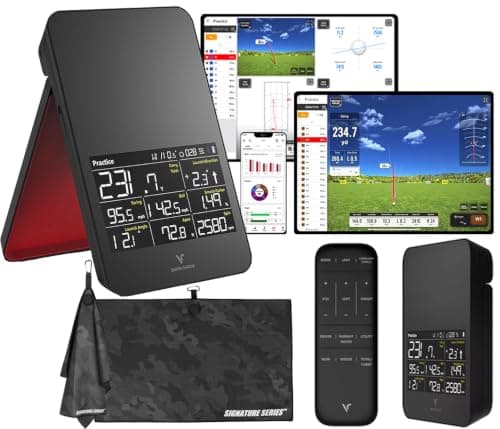
You want the tidiest possible path from bag to numbers, with nothing to stick on the ball, no phone to pair and no subscription to renew. The SC4 Pro’s whole appeal is that it is self-contained: the display is on the unit, so you read your carry and speed at a glance, and it is sold as a monitor-and-simulator bundle rather than a box that unlocks features later. For a player who values one less account and one less consumable, it is the lower-friction, lower-running-cost choice. The honest limits are the flip side: it is less widely reviewed than the Mevo, so there is a smaller body of owner feedback, and its data set is narrower than the Mevo’s quoted 18 parameters. You are trading some depth and pedigree for genuine simplicity.

The running costs nobody quotes

The sticker price is not the whole price on either, but the ongoing costs differ in kind. The Mevo carries two small recurring drags: the ball stickers are a consumable you replace, and the fuller simulator experience nudges you toward paid E6 content. Neither is large, but both are real, and they are exactly the sort of line item most reviews leave off. The SC4 Pro, by contrast, asks for nothing after purchase to read your numbers — no stickers, no subscription — and its simulator function is bundled and standalone. If you are the kind of buyer who hates a drip of small charges and consumables, that difference matters more than a spec line. Our cost-of-ownership breakdown puts the full running-cost picture next to the hardware for the category.

The honest deciding factors

Two things settle it. First, data depth versus simplicity: if you want the longer parameter list and the professional lineage and you will happily sticker a ball, the Mevo is the richer practice radar; if you want numbers on a screen with zero fuss and zero fee, the SC4 Pro is the cleaner buy. Second, running cost: the Mevo’s stickers and E6 upsell are small but real, while the SC4 Pro has none. Neither is a professional-grade unit and we do not lab-test — this is drawn from published specs and how each captures a shot. Weigh the live prices above against which of those you value, and the answer is usually obvious.
The short answer

Quick picks

#ProductBest forScorePrice
01
FlightScope FlightScope Mevo (Gen2)
FlightScope Mevo (Gen2)

A pocket radar from a serious launch-monitor name, with 18 data points and a few sim courses in the box.

Range practice with pro-lineage radar
7.8
$1,299.00Amazon
02
Voice Caddie Voice Caddie SC4 Pro
Voice Caddie SC4 Pro

A standalone launch monitor and simulator bundle with its own screen — no phone required to read your numbers.

A self-contained monitor-plus-sim bundle
7.2
Check price →

#ad · Live prices from the Amazon Product API, as of Jul 31, 2026. Where we have no verified live price, we show none — we would rather leave a gap than print a number that has rotted.

In detail

The picks, in full

01
FlightScope FlightScope Mevo (Gen2)

Range practice with pro-lineage radar

FlightScope Mevo (Gen2)

Doppler radar18 data parameters (listed)Includes some E6 coursesRequires ball sticker
7.8/10

A pocket radar from a serious launch-monitor name, with 18 data points and a few sim courses in the box.

Accuracy
8
Data depth
8
Ease of use
7
Portability
9
Value
7

Pros

  • Comes from FlightScope, whose radar technology underpins far pricier professional units
  • The listing quotes 18 data parameters — plenty for a full, honest practice session
  • Ships with a handful of E6 simulator courses, so you can play at home and not just practice

Cons

  • Needs a small metallic sticker on the ball for full data — fiddly, and the stickers are a consumable
  • The wider simulator experience still points you toward paid E6 content beyond the included courses

Skip this if…

you want a grab-and-go unit with nothing to stick on the ball, align or upgrade. The sticker requirement and the paid-course upsell make it less friction-free than a pocket speed monitor like the PRGR.

$1,299.00View on Amazon

Price as of Jul 31, 2026. Prices change — Amazon's is the one that counts.

#ad · we may earn a commission from this link to FlightScope Mevo (Gen2)

02
Voice Caddie Voice Caddie SC4 Pro

A self-contained monitor-plus-sim bundle

Voice Caddie SC4 Pro

Doppler radarBuilt-in displayMonitor + simulator bundleStandalone (no phone needed)
7.2/10

A standalone launch monitor and simulator bundle with its own screen — no phone required to read your numbers.

Accuracy
7
Data depth
7
Ease of use
8
Portability
7
Value
7

Pros

  • Works as a self-contained unit with its own display, so you're not tethered to a phone app to see your data
  • Sold as a monitor-and-simulator bundle, so home course play is part of the package rather than an add-on
  • Portable enough to move between the range and an indoor net

Cons

  • Less widely reviewed than the Garmin and Rapsodo, so there's a smaller body of owner feedback to lean on
  • As with any radar, some figures are modeled rather than directly measured

Skip this if…

you specifically want shot video or measured spin. Its strength is being a tidy all-in-one; if camera video is the feature you care about, the Rapsodo is the unit built around it.

Check price on Amazon →

No buyable offer at the last price check (Jul 31, 2026). We show nothing rather than a stale number.

#ad · we may earn a commission from this link to Voice Caddie SC4 Pro

How we ranked this

We don't run a testing lab — and we say so

We compiled published manufacturer specifications, official standards and aggregated owner reviews, computed the running costs the big test-labs leave out, and scored each pick against a published rubric. The scores are judgments from documented research — they are notlab measurements we took, because we don't have a lab and we're not going to pretend we do. You can check every number we publish.

Questions

Frequently asked

Does the FlightScope Mevo really need a ball sticker?
Yes — the Mevo uses a small metallic sticker on the ball to read full data, which is a mild hassle and a consumable you top up over time. The Voice Caddie SC4 Pro needs nothing on the ball; you just point it and swing and read the numbers on its own screen.
Which has more data, the Mevo or the SC4 Pro?
The Mevo's listing quotes 18 data parameters, a deeper set than the SC4 Pro puts on its screen. Both are radars, though, so both estimate spin rather than measuring it, and neither records shot video. If depth is the priority the Mevo leads; if you want the essentials with no fuss, the SC4 Pro covers them.
Which is cheaper to own over time?
The SC4 Pro, on running cost: no ball stickers to replace and no subscription. The Mevo’s stickers are a consumable and its fuller simulator points to paid E6 content, so it drips small costs the SC4 Pro doesn’t. Compare the live prices above and see the wider math in the cost breakdown.

Keep reading

Receipts

Sources

We do not run a testing lab, and we do not pretend to. Every spec number here comes from a manufacturer's published sheet or an official standard, cited above. Where we could not verify something, we say so on the page rather than quietly leaving it out. Read our full method.